IKEv2 on iOS
Follow these steps to set up a VPN on your iOS device using manual configuration.
Setup Steps
1. Access VPN Settings
Go to Settings > General > VPN & Device Management > VPN > Add VPN Configuration.
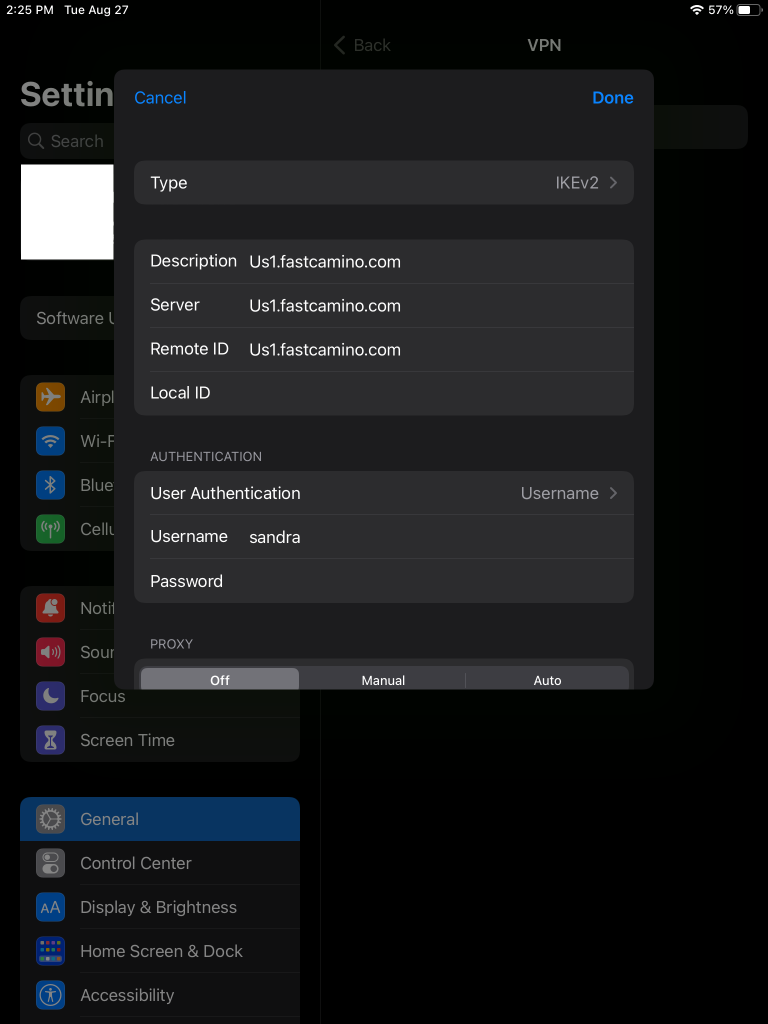
2. Configure VPN Settings
Enter the following details:
- Server: us1.fastcamino.com (or any server of your choice)
- Remote ID: us1.fastcamino.com (must match the server address)
- User Authentication: Username
- Username: (your VPN username)
- Password: (your VPN password)
3. Complete Setup
Tap Done to save the configuration.
4. Connect to VPN
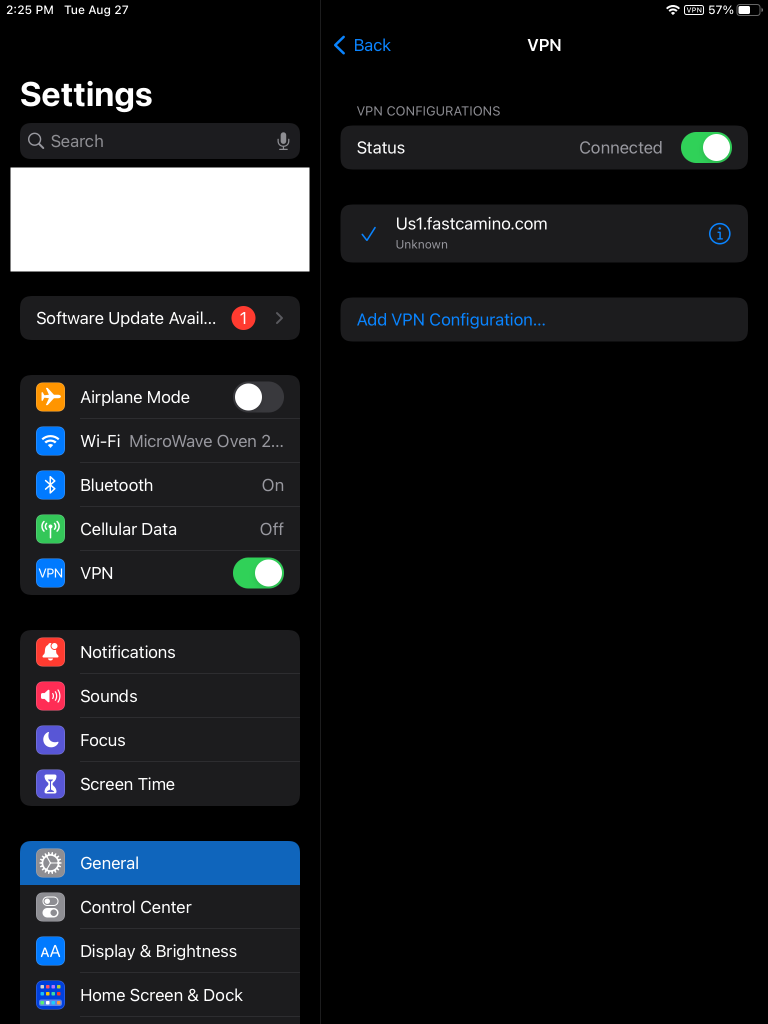
Select the newly created VPN configuration and toggle the VPN switch to connect.
Troubleshooting
If you encounter issues, ensure the server, Remote ID, username, and password are entered correctly.